Computer Audio Reviews

Sort By:  Post Date TitlePublish Date

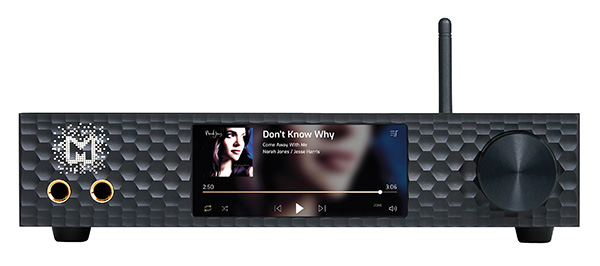
Mytek Digital Brooklyn Bridge II Roon Core preamplifier

The concept of streaming digital music files over distances great (as with internet-streaming services like Spotify, Qobuz, Tidal, etc.) and small (from a home-PC hard drive, NAS, or networked music server) became mainstream only recently. But it was already brewing during the late 20th century, with people illegally downloading low-bitrate MP3 files made from CD rips and coming close to killing the recorded-music industry.

That wasn't streaming exactly, or not in the current sense, because the files needed to be downloaded, stored locally, then either played out of a computer or loaded onto a portable player, but from that point forward it was a steady march to the streaming-dominated present.

Never mind Napster—the first subscription audio "streaming" service was one you probably wouldn't think of: Audible, the audio book service now owned by Amazon, which started up in 1995. I did beta testing and editing work for early-days Audible, and around that time, I started loading up home-ripped MP3 files on a pocket-sized Rio MP3 player (which by then had replaced Audible's proprietary player), using it in place of a portable CD player. This led to experiments with a PC music library/player running Linux, controlled by a Handspring PalmOS device connected to the stereo system via a Sound Blaster 16 card.

Roon Labs Roon v.1.0 music-playback app

There are dozens of music-playback programs for computers, touchpads, and smartphones, ranging from Amarra, Audirvana, JRiver, Pure Music, and VLC, which manage libraries or work with library software, to programs that are integrated with a specific distribution service: Pandora, Spotify, Tidal, and, of course, iTunes. Still others, such as Sonos, are integrated with a dedicated hardware product.

Musical Fidelity V-Link USB-S/PDIF converter

A computer is not optimized for the uninterrupted streaming of audio data. It has rapidly become established wisdom, therefore, that the optimal means of extracting audio data from a computer's USB port is to operate that port in what is called "asynchronous isochronous" mode. This lets the receiving device, such as a digital-to-analog converter (DAC), control the flow of data from the PC. In theory, asynchronous USB operation (not to be confused with the asynchronous sample-rate conversion used in some DACs) reduces jitter to unmeasurable levels, depending on the accuracy of the receiver's fixed-frequency oscillator, which is used to clock the data to the DAC. By contrast, in the alternative and almost ubiquitous USB operating mode, called "adaptive isochronous," while the sample rate of the output data, averaged over a longish period, will indeed be the specified 44.1 or 48kHz, there will be short-term fluctuations, or jitter, due to the oscillator having to change its frequency every millisecond to match the uncertain rate of data flow from the PC.

HRT Music Streamer Pro USB D/A converter

Art Dudley and others have covered the first products released by HRT, and now the company has added to its product line a Pro version of its Music Streamer, which sports balanced circuit design from tip to tail.

Housed in the same simple, functional, six-sided case of extruded aluminum as HRT's other products, the Pro is painted a bright blue to distinguish it from the Music Streamer II (red) and Music Streamer II+ (gray). At 5.6" it is also a tad longer than the others, and includes a single B-type USB 1.1 jack centered on one end, and two small, fully balanced TiniQ output jacks on the other. More about these special mini sockets later.

Logitech Squeezebox Touch network music player

When it comes to ripping CDs and downloading music, I've been sitting on the sidelines feeling more than a bit of envy. Stereophile's reviews of various media servers have whetted my appetite, but not so much as to overcome my timidity about getting into a new realm of technology in which I would be a beginner all over again. Still, I've sneaked a few peeks.

ASUS Xonar Essence ST/STX soundcards

With all the current fuss about getting audio data from a computer to a standalone D/A processor via S/PDIF, USB, FireWire, WiFi, or Ethernet (footnote 1), it has been overlooked that the oldest way to get audio from a PC is to use a high-performance soundcard plugged into the host machine's motherboard. I remember how excited I was when I installed a Sound Blaster Pro 16 board in the 486-based Dell running Windows 3.1 that I was using in the early Clinton era, plugged its analog output into my high-end rig, and played back 16-bit/44.1kHz files.

Music Served: Extracting Music from your PC

"Physical discs seem so 20th century!" That's how I ended my eNewsletter">http://www.stereophile.com/images/newsletter/406Bstph.html">eNewsletter review of the Logitech (then Slim Devices) Squeezebox WiFi music server in April 2006, and it seems that increasing numbers of Stereophile readers agree with me. In our website">http://cgi.stereophile.com/cgi-bin/showvote.cgi?551">website poll of January 5, 2008, we asked, "Are you ready for an audiophile music server?" The response to that question was the highest we have experienced: 32% of respondents already listen to music via their computer networks, many using home-brewed solutions, and 44% intend to. We've published a lot of material on this subject in the last five years, and it seemed a good idea to sum it up in this article.

MP3 vs AAC vs FLAC vs CD

As Wes Phillips recently reported on this website, CD sales are down and legal downloads of audio files are up. Stereophile has been criticized more than once for not paying enough attention to the subjects of MP3 and other compressed file formats, such as AAC, and for offering no guidance at all to readers about how to get the best sound quality from compressed downloads.
Advertisement
Advertisement
Advertisement